Financial Analytics Pipeline on Databricks
SAS has been the standard for market analytics in financial institutions for decades. Moving to a modern data platform means replacing both the infrastructure and the code. This is a personal project — built outside work on real data: a Databricks medallion pipeline on 15 years of US and European market data, and a tool that converts SAS code to PySpark automatically.
The pipeline covers five data series: S&P 500, Euro Stoxx 50, VIX (a measure of expected US stock market volatility), US Federal Funds Rate, and ECB (European Central Bank) Deposit Facility Rate. These run through three Delta Lake layers — Bronze, Silver, Gold. The ECB rate turned negative in 2014 and stayed there until 2022 — a regime the US never entered, which appears clearly in the regime classifications. The converter handles the code side: SAS in, PySpark out.
Live dashboard ↗ · GitHub ↗ · Lakehouse overview ↗ · SAS migration ↗ · SAS converter ↗
The dashboard is hosted on Streamlit Community Cloud and may be sleeping after inactivity — clicking will wake it up within a few seconds.
Medallion Architecture
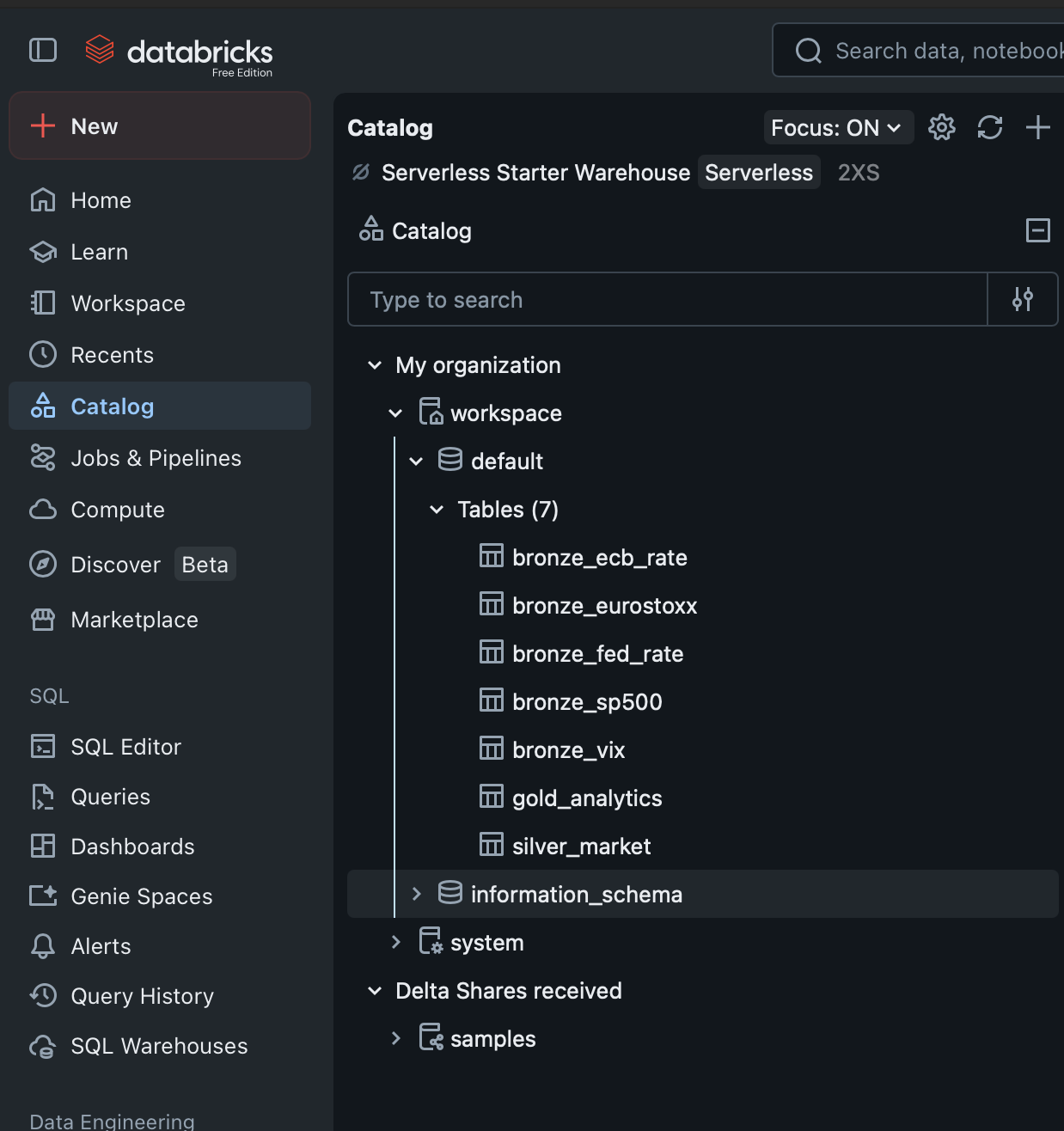
Data flows through three Delta Lake layers, each with a distinct role:
- Bronze. Raw ingestion from two sources: Yahoo Finance (daily price and volume data for S&P 500, Euro Stoxx 50, and VIX) and FRED (Federal Reserve Economic Data — monthly US Federal Funds Rate and ECB Deposit Facility Rate). Five Delta tables written without any transformation — source data is preserved exactly as received.
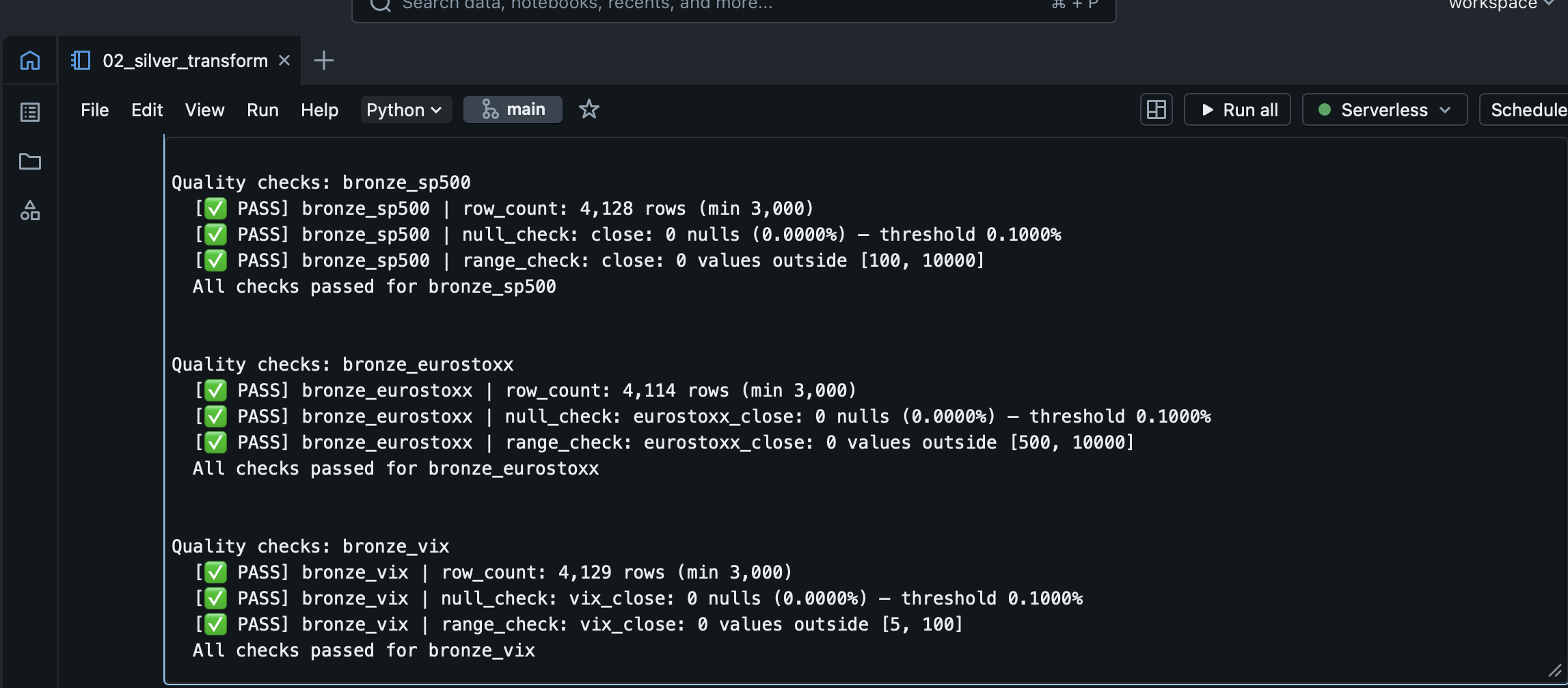
- Silver. Quality checks, cleaning, and a forward-fill join that aligns monthly interest rates onto the daily trading sequence. Log returns (a standard measure of proportional price change) and the US–EU rate differential are computed here. A reusable quality check module runs at every layer transition and halts the pipeline on any failure.
- Gold. Rolling realised volatility (20-day and 60-day, annualised) for both equity indices, 60-day US–EU equity correlation, S&P 500 % decline from its 52-week high, and rate regime classifications for both central banks.
The separation matters because interest rates are monthly while equity prices are daily — a simple date join leaves the rate column empty on most trading days. Silver solves this in a single tested transformation, and everything built on top reads from the same aligned source. Bronze preserves source data exactly as received; if a cleaning rule changes, the full history can be re-derived without calling the original APIs again. In SAS, ingestion, cleaning, and analytics typically share one script with no clear boundary; the medallion architecture makes each step explicit and independently testable.
Joining Monthly Rates to Daily Prices
The Silver layer handles this alignment with two window functions: a forward-fill carries each rate reading forward through subsequent trading days, and a backward-fill covers the period before the first rate observation.
fill_window = Window.orderBy("date").rowsBetween(
    Window.unboundedPreceding, Window.currentRow
)
back_window = Window.orderBy("date").rowsBetween(
    Window.currentRow, Window.unboundedFollowing
)

joined = daily_df.join(monthly_df, on="date", how="left")
filled = (
    joined
    .withColumn("fed_rate",
        F.last(F.col("fed_rate"), ignorenulls=True).over(fill_window))
    .withColumn("fed_rate",
        F.first(F.col("fed_rate"), ignorenulls=True).over(back_window))
)
Each trading day carries only the rate that was known at that date — no future data bleeds back.
Gold Layer
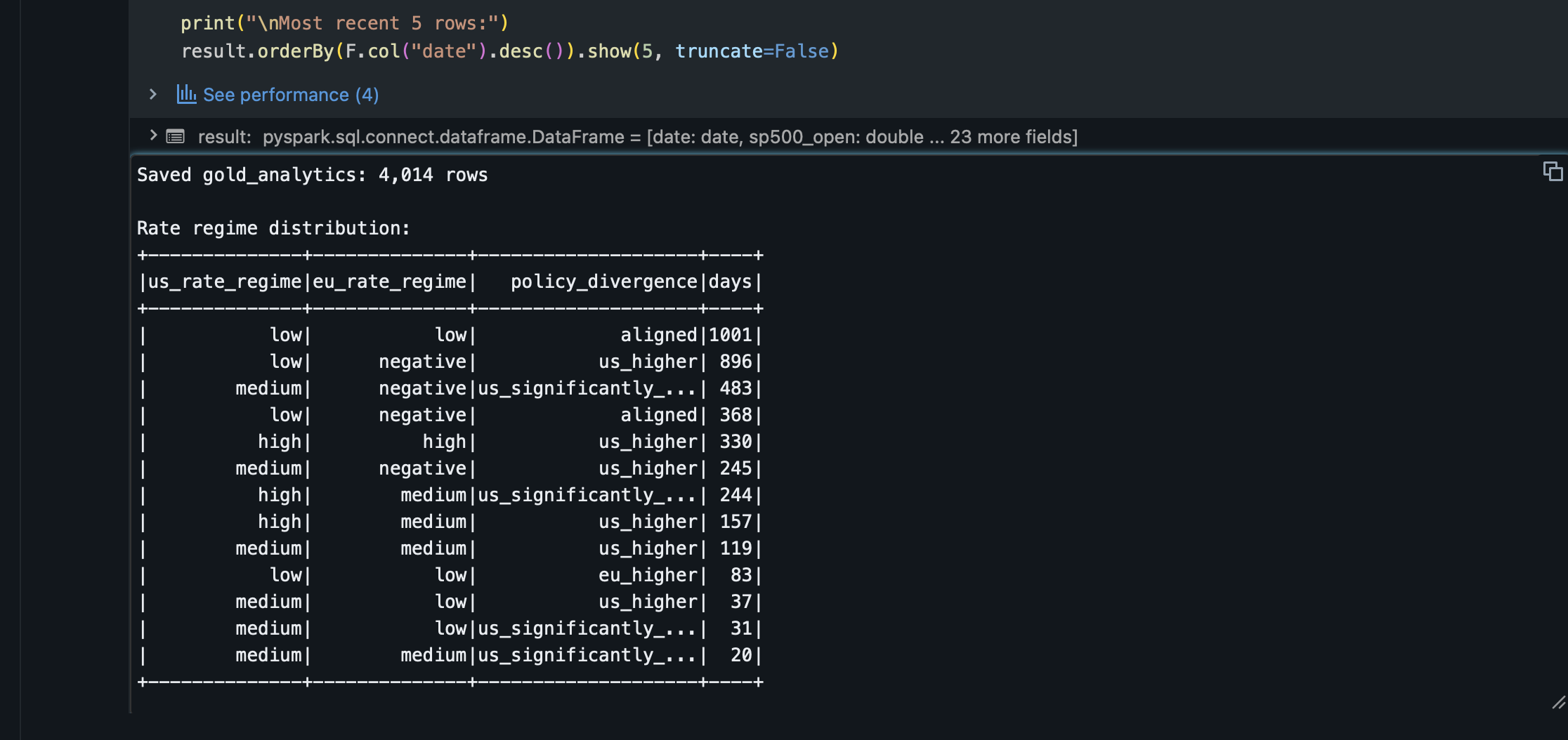
Gold computes the financial analytics: rolling realised volatility at 20-day and 60-day windows (annualised), 60-day rolling Pearson correlation between US and EU equity returns, S&P 500 % decline from its 52-week high, and rate regime classifications for both central banks. The dashboard reads these figures directly from the Gold table.
Regime classifications use threshold rules calibrated to the 2010–present rate environment. The EU classification includes a negative rate band that has no equivalent on the US side.
Dashboard
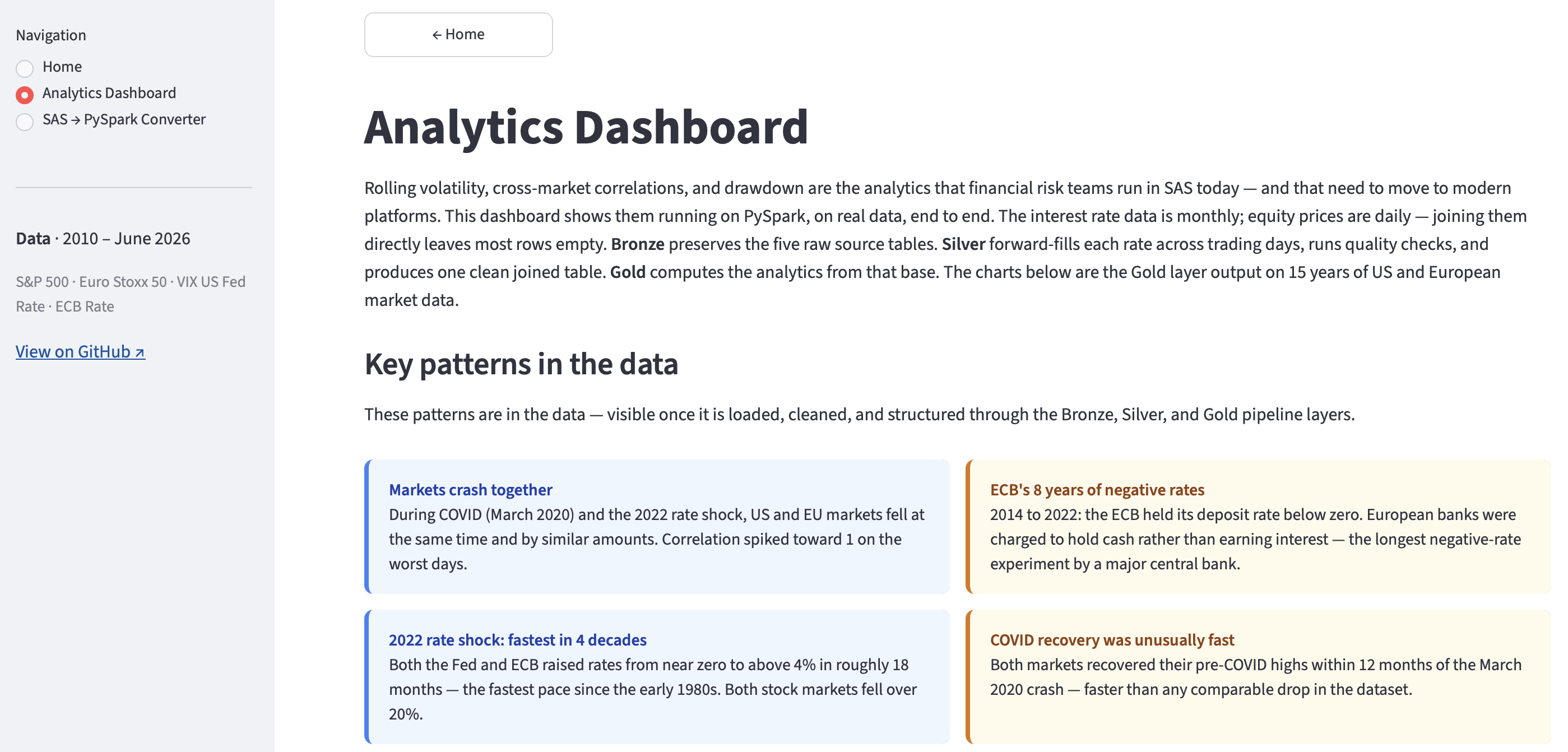
Rolling volatility, correlations, and rate regime classifications run here in PySpark, reading live from the Gold Delta table on Databricks. No local data files, no intermediate exports. The app may be sleeping due to inactivity — clicking will wake it up within a few seconds.
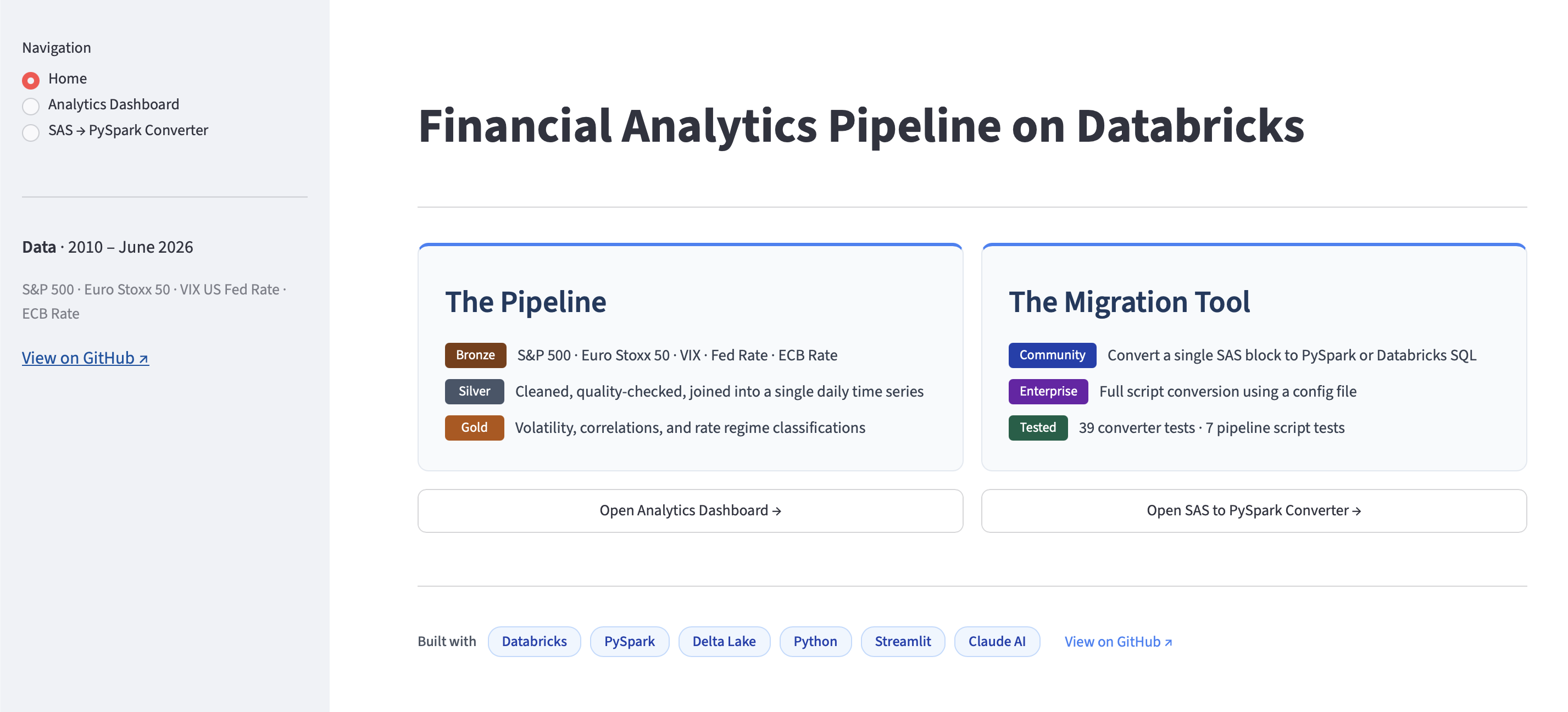
The Analytics Dashboard opens with what the pipeline found: US and EU markets fall together in crises; the ECB held rates below zero for eight years while the US did not; 2022 saw the fastest rate rises in four decades; COVID markets recovered their pre-crash highs within 12 months. All of this comes from 15 years of real market data flowing through the Bronze → Silver → Gold pipeline, with interactive charts to explore any time period.
SAS → PySpark Converter
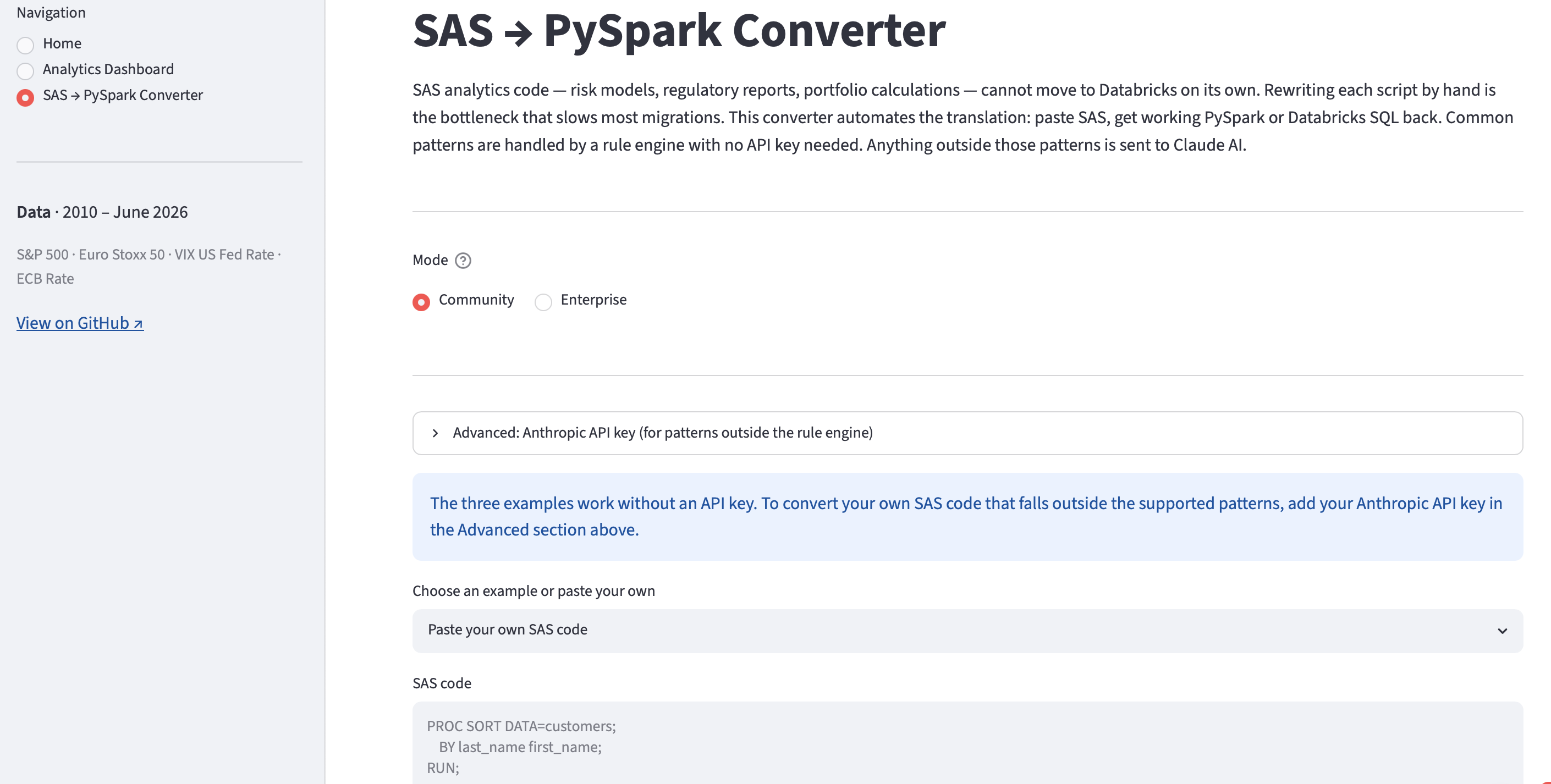
Moving the infrastructure to Databricks is the easier half of a migration. The harder half is the code: financial institutions have decades of SAS scripts covering risk models, regulatory reports, and portfolio calculations. Rewriting them by hand takes months; this converter automates the translation. A rule engine handles the common patterns — PROC SORT, PROC MEANS, PROC SQL, DATA steps — with consistent output and no API key needed. Anything it cannot handle is passed to an LLM.
The converter has two modes. Free Edition mode converts a single SAS block, with three built-in examples and a fourth tab that shows — on a RETAIN example — what the rule engine flags versus what an LLM produces.
Enterprise mode takes a full SAS script and a YAML config file that maps library names and variable references to Databricks paths. It converts the script in one pass, scores each block by confidence, and flags anything below 85% for review. The dashboard includes a four-block example script. The first three blocks are handled by the rule engine; Block 4 contains a RETAIN statement it cannot translate, and the LLM equivalent is shown alongside. Both the converted code and a per-block review manifest are downloadable.
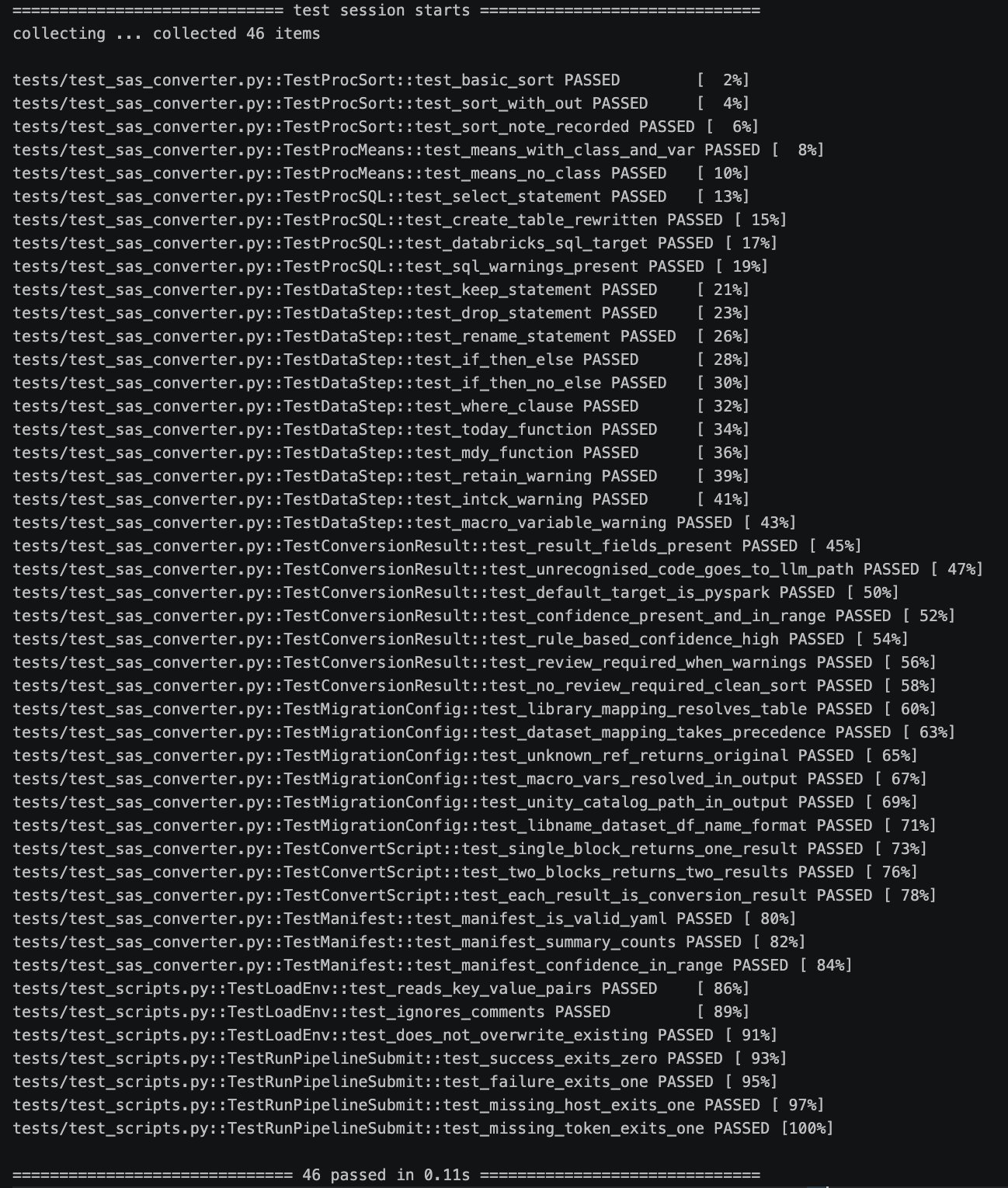
39 pytest cases cover every supported SAS construct across Free Edition and Enterprise modes — including RETAIN handling, confidence scoring, and config file support. A further 7 cover the pipeline script — credential loading, exit codes, and job status.
Free Edition and Production Databricks
This project runs on Databricks Free Edition — a free tier with standard Delta Lake and classic compute. The code is production-ready; moving to a full workspace changes how the pipeline is run and orchestrated, not the underlying data logic.
| Feature | Free Edition (this project) | Full Databricks workspace |
|---|---|---|
| Data governance | Hive Metastore, table-level only | Unity Catalog — column-level security, data lineage, three-level naming (trading.bronze.sp500) |
| Pipeline definition | Manual notebook execution, explicit writes, quality check function calls | Delta Live Tables — declarative, @dlt.expect quality rules, auto-scaling, dependency graph inferred automatically |
| Ingestion | API-based ingestion — yfinance and FRED API called directly from notebooks | Auto Loader — incremental, schema inference, handles late-arriving files automatically |
| Orchestration | Polling script (run_pipeline.py) |
Databricks Jobs — dependency graph, retry logic, alerts, schedule |
| Dashboard hosting | Streamlit Community Cloud | Databricks Apps — hosted inside the workspace, workspace authentication |
The most visible change at the pipeline level is Delta Live Tables. The Bronze notebook currently writes each table explicitly and calls a quality check function. In a full workspace, both collapse into a declarative definition:
# Free Edition — explicit write + quality check function
run_quality_checks(sp500_df, "bronze_sp500", min_rows=3000, null_cols=["close"])
sp500_df.write.format("delta").mode("overwrite").saveAsTable("bronze_sp500")

# Full Databricks — Delta Live Tables
import dlt

@dlt.table(name="bronze_sp500")
@dlt.expect_or_fail("valid_close", "close IS NOT NULL")
@dlt.expect_or_fail("sufficient_rows", "COUNT(*) > 3000")
def bronze_sp500():
    return (
        spark.read.csv(f"{DATA_DIR}/sp500.csv", header=True)
        .withColumn("date",  F.col("date").cast(DateType()))
        .withColumn("close", F.col("close").cast(DoubleType()))
        .withColumn("ingested_at", F.current_timestamp())
    )
Quality checks become @dlt.expect decorators and the write is implicit. Execution order is inferred automatically from dlt.read() calls — Silver reads from Bronze, Gold reads from Silver — so ordering and scaling are handled by the framework, not the notebook.
AI-Assisted Development
This project was built with Claude Code (Anthropic’s AI coding assistant) as a development collaborator — used for architecture decisions, the quality checks module, the converter’s rule engine design, and review throughout all three pipeline layers. The converter’s LLM fallback runs on the same Claude API — the difference is context: here it assisted with engineering decisions; there it translates SAS code across an entire migration.